


The eLisaPlus FFU control system is a multi-level control system that is built on an existing common infrastructure network platform and is based on open standards, enabling comprehensive and seamless information transmission and interactive operations.
System Requirements
1、Hardware Requirements
◇ Minimum configuration for the server: CPU: 3.0GHz, Memory: 4G, Hard Disk: 160GB.
◇ Minimum configuration for the workstation: CPU: 2.1GHz; Memory: 512MB; Hard Disk: 80GB.
2、Software Requirements
◇ Operating System:Windows XP、Windows 7、Windows 10
◇ Database:Microsoft Sql Server2005Express
System Network Structure Diagram
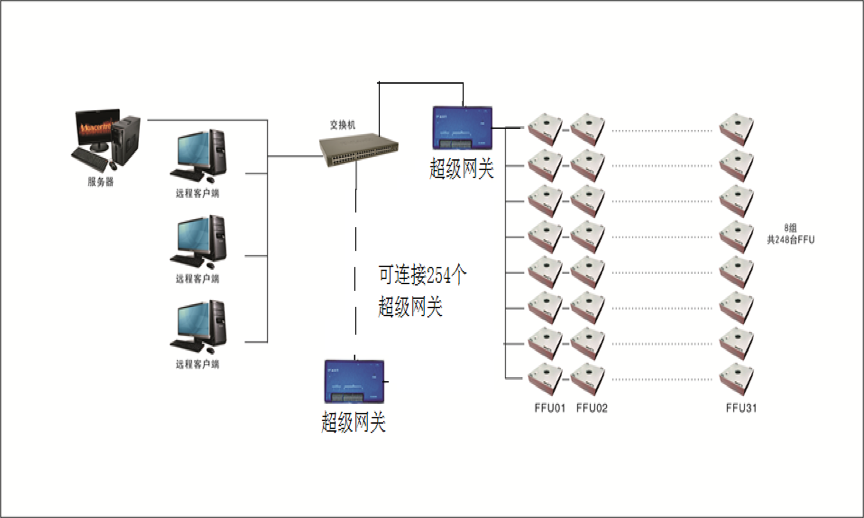
eLisaPlus FFU Control System Interface and Usage Introduction
1. User Login
Double-click the "eLisaPlus" icon on the computer desktop.
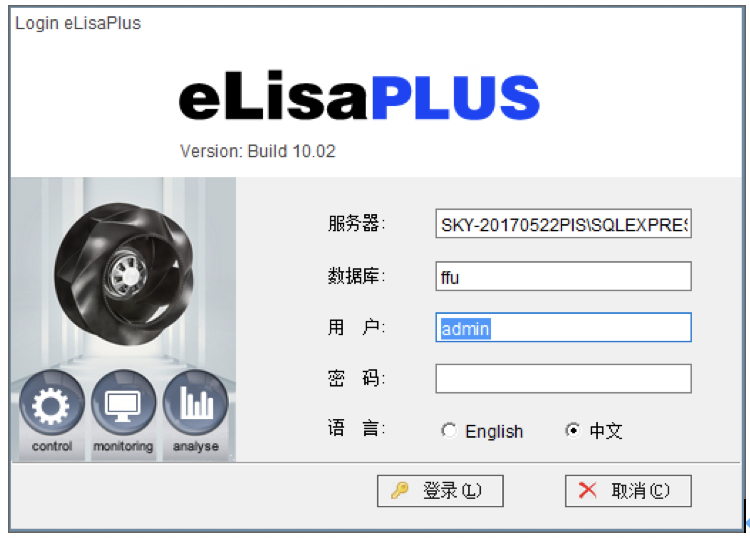
The language bar offers the option of choosing either Chinese or English.
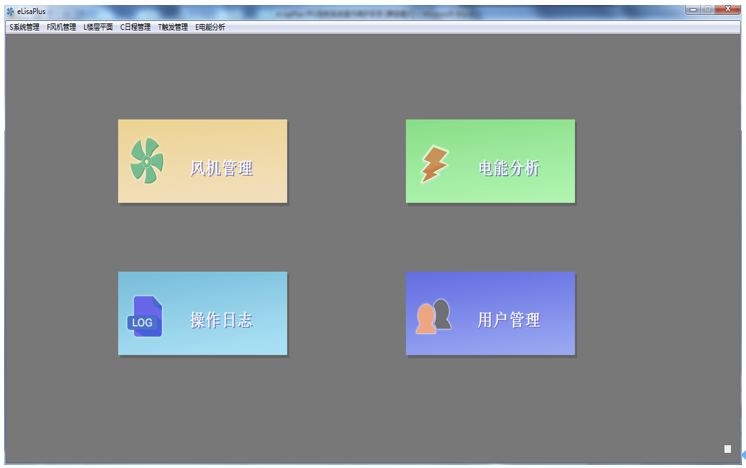
Enter the username and password to log in to the FFU control system management interface. As shown in the figure:

User Management
The logged-in users of the software can be assigned different levels.
To change the password for the current user's login to the FFU control system, click 'Change Password' in the 'System Management' section at the top left corner of the FFU control system.
Click 'User Management' in the 'System Management' section at the top left corner of the FFU control system, as shown in the figure.

A-Plus Technology Official Website:http://www.aireplus.com.cn